Sign PDF
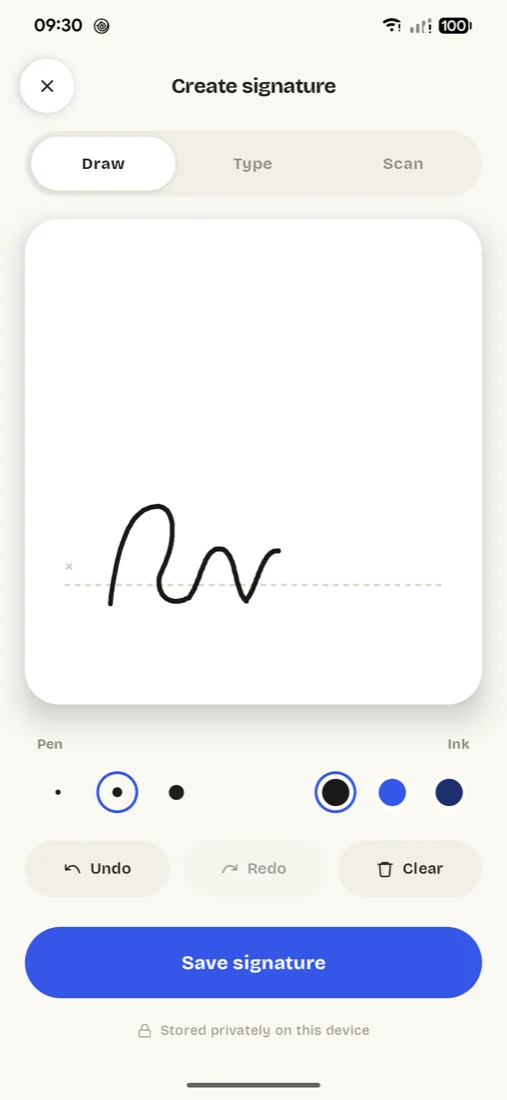
Draw your signature, drag it where it belongs, download the signed PDF.
Questions
How do I sign a PDF online for free?+
Choose the PDF, draw your signature with your finger or mouse, drag it into place and press Sign. The signed copy downloads; your original isn't changed.
Is it safe for contracts and bank forms?+
The document stays on your device: it's read and signed inside your browser and never uploaded.
Can I use the signature I signed on paper?+
The QuickSign app can: photograph your signature on paper and it cuts it out cleanly, then keeps it ready for every document.
Is this a legally binding e-signature?+
It places your signature on the document. It doesn't issue certificates or keep an audit trail, and whether a signed document is binding depends on where you are and what you sign.
Is my file uploaded anywhere?+
No. Everything happens inside your browser on your own phone or computer. The file is never sent to a server, so nobody else can see it, and it works the same for confidential documents.
Sign anything, right on your phone.
- Scan your paper signature
- Type it in a script font
- Text, dates and ticks
- No upload